14 Steps to Implement Electronic Signatures in Your Workflow
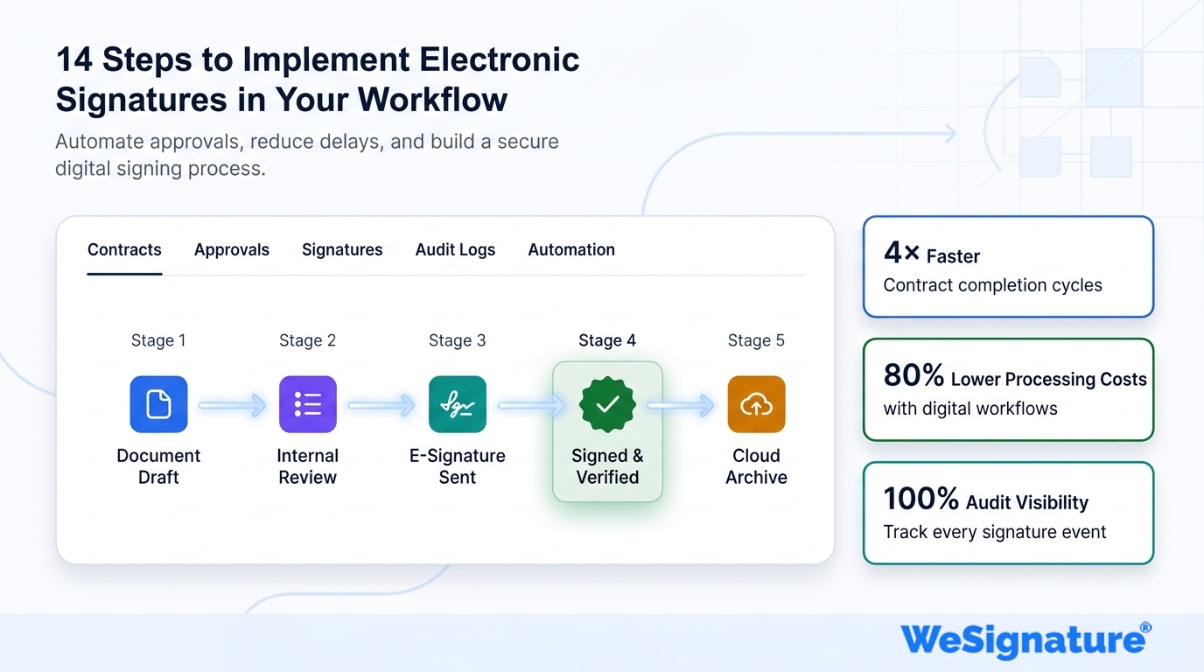
Paper-based signing is quietly draining your business. Printing, couriering, chasing approvals, and manually filing documents can cost companies hundreds of hours a year — and delay deals that should close in minutes. According to McKinsey & Company, businesses that digitize document workflows reduce processing costs by up to 80% and accelerate contract cycles by as much as 4x. The solution is already proven: electronic signatures. But knowing you need e-signatures and knowing how to implement them correctly are two different things. A poorly planned rollout leads to low adoption, compliance gaps, and frustrated users.
This guide gives you a complete, 14-step roadmap — from assessing your current signing processes to scaling e-signatures across your entire organization. Whether you’re a growing startup, a mid-size company, or an enterprise, every step applies.
| What You’ll Learn Why e-signatures are legally binding and globally recognized The efficiency, cost, and security benefits of going digital A clear 14-step implementation roadmap for any organization Which document types and industries benefit most How to train, monitor, and scale adoption successfully Answers to the most common questions about e-signature workflows |
Why Electronic Signatures Matter for Your Workflow
Before walking through implementation, it’s worth being clear on what makes e-signatures a strategic priority—not just a convenience upgrade.
They Are Legally Binding
One of the most common concerns organizations have is legality. The short answer: compliant electronic signatures are legally binding in most jurisdictions worldwide. In the United States, they are governed by the ESIGN Act and UETA. In the EU, the eIDAS Regulation applies. Similar frameworks exist across Canada, Australia, India, and the UK. A properly executed e-signature is enforceable in court.
They Eliminate Process Bottlenecks
Manual document handling is a workflow bottleneck hiding in plain sight. Printing, physically signing, scanning, emailing, and re-filing a single contract can take days — or weeks if a signer is traveling. The advantages of e-signatures go well beyond speed: you reduce human error, eliminate lost documents, and create an unbroken chain of custody that paper simply cannot match.
They Enable Workflow Automation
Integrating e-signatures into your existing systems unlocks genuine workflow automation benefits — documents automatically route to the next signer, reminders fire on schedule, completed files land in the right folder, and your CRM updates without manual input. That’s not just convenience; that’s a measurable reduction in administrative overhead.
They Strengthen Security and Compliance
E-signature platforms use AES-256 encryption, digital certificates, tamper-evident sealing, and full audit trails. Every action — who viewed, who signed, when, and from which IP address — is logged and immutable. This supports compliance with GDPR, HIPAA, SOC 2, and other frameworks that paper workflows cannot satisfy.
Key Benefits of Implementing Electronic Signatures
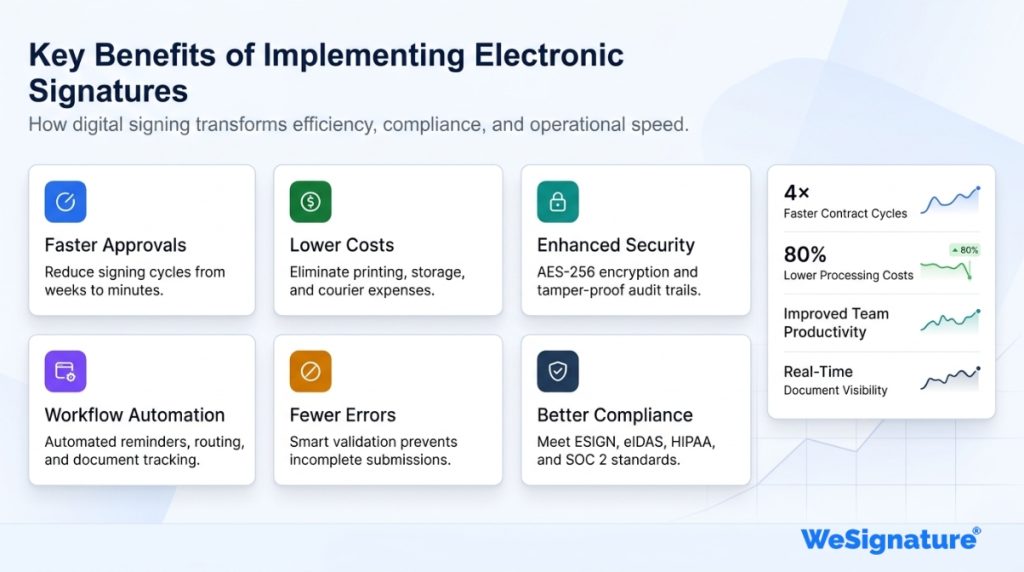
Understanding the full scope of benefits of implementing e-signatures helps you build a compelling internal business case and set realistic expectations for your rollout.
| Benefit | Business Impact |
| Greater efficiency | Compress multi-day signing cycles to minutes; eliminate print/scan/fax |
| Cost reduction | Cut paper, printing, courier, and storage costs significantly |
| Enhanced security | Encryption and audit trails protect document integrity end-to-end |
| Fewer errors | Automated field validation ensures completeness before submission |
| Faster deal cycles | Real-time processing vs. days of waiting for mailed signatures |
| Better collaboration | Multi-party signing, status tracking, and instant notifications |
| Competitive edge | Close deals faster; signal innovation to clients and partners |
| Easier audits | Centralized records and tamper-proof logs simplify compliance reviews |
Which Industries and Use Cases Benefit Most?
Electronic signatures are industry-agnostic, but certain document-heavy sectors see an especially dramatic impact:
- Real estate: Purchase agreements, lease contracts, and disclosure forms can all be signed digitally. Real estate contracts processed with e-signatures close faster and with fewer errors than paper equivalents.
- Legal: NDAs, engagement letters, settlement agreements, and legal documents of all kinds benefit from the audit trail and tamper-evident sealing that e-signature platforms provide.
- Human resources: Offer letters, policy acknowledgments, and HR onboarding documents are among the highest-volume signing use cases in any organization. Going digital eliminates onboarding delays and paper storage overhead.
- Small business: For small businesses, e-signatures level the playing field — enabling professional, fast, and compliant contract processes without a dedicated legal or operations team.
- Healthcare, finance, and construction: All involve high-volume, compliance-sensitive documents where the audit trail and security of e-signature platforms are essential.
14 Steps to Implement Electronic Signatures in Your Workflow
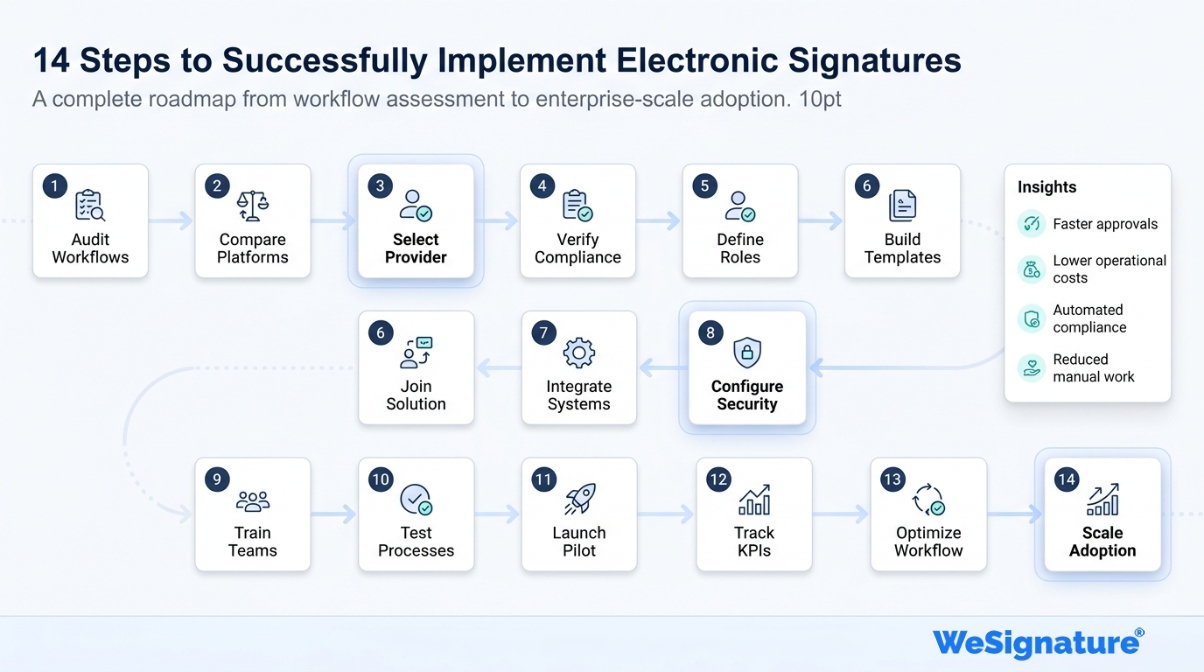
Follow these steps in sequence. Each stage builds on the previous to ensure a compliant, well-adopted, and scalable implementation.
Step 1: Map Your Current Signing Processes
Start by auditing every document type in your organization that requires a signature — contracts, NDAs, onboarding forms, vendor agreements, purchase orders, consent forms, and so on. For each document type, note: volume per month, number of signers, average time to completion, and any compliance or notarization requirements. This baseline shapes every decision that follows.
Step 2: Research E-Signature Platforms
Evaluate e-signature software options against your specific requirements. Key criteria: legal compliance (ESIGN/eIDAS), security certifications (SOC 2 Type II, ISO 27001), API availability, supported file formats, mobile experience, integrations, and pricing. Request demos and run trial accounts before committing.
Step 3: Choose a Reliable Provider
Select a provider whose feature set, support quality, and pricing align with your long-term needs. WeSignature offers unlimited e-signatures, built-in payment collection, a file manager, and deep integrations with CRM and document management systems — purpose-built for businesses that want a single, scalable platform. Start a free trial to see how it fits your workflow.
Step 4: Verify Legal Requirements for Your Jurisdiction
Even with a reputable platform, your legal or compliance team should confirm requirements for every region you operate in. High-value contracts, regulated industries (finance, healthcare), and cross-border agreements may carry additional requirements beyond a standard e-signature.
Step 5: Define User Roles and Permissions
Map out who needs to send, sign, view, and administer documents. Set permissions accordingly. Restrict template management and bulk-send access to authorized users. Clear role definitions prevent both security gaps and user confusion from day one.
Step 6: Build Templates and Automated Workflows
Create reusable templates for your most common document types. Configure automated routing so documents move to the right signer in the right order — with built-in reminders, escalation rules, and expiration deadlines. This single step eliminates the majority of manual follow-up work.
Step 7: Integrate with Your Existing Systems
Connect your e-signature platform to your CRM (Salesforce, HubSpot), HRIS, ERP, or document management system. Proper integration eliminates duplicate data entry, keeps records synchronized, and triggers downstream actions automatically when a document is completed. Test every integration before go-live.
Step 8: Run a Security Configuration Review
Beyond platform defaults, configure additional controls appropriate to your risk profile: email-based signer verification, SMS OTP or MFA for sensitive documents, IP-restricted admin access, and session timeouts. Enable tamper-evident sealing so any post-signature modification is immediately detectable in the audit trail.
Step 9: Create a Training Program
Build role-specific training for senders, signers, and administrators. Cover: preparing and sending documents, signing on desktop and mobile, managing templates and workflows, and escalation paths when issues arise. Short video walkthroughs and a quick-reference guide dramatically reduce support volume.
Step 10: Test Thoroughly Before Launch
Run end-to-end tests covering every document type, every workflow path, and every signer role. Test on multiple devices and browsers. Simulate edge cases—declined signatures, expired documents, multi-party workflows with one signer missing. Resolve every issue before production go-live.
Step 11: Launch a Controlled Pilot
Start with a single department or document type rather than a full organization rollout. The pilot surfaces real-world friction that controlled testing misses: UX confusion, integration edge cases, or unexpected compliance questions. Collect structured feedback at the 2-week and 4-week marks and act on it before expanding.
Step 12: Monitor Performance KPIs
Track metrics from day one: document completion rate, average time-to-signature, adoption rate by team, error or decline rate, and user satisfaction scores. Low completion rates almost always indicate a training gap or UX issue. Use the data to drive specific, targeted improvements rather than guessing.
Step 13: Collect Feedback and Iterate
Schedule structured feedback sessions at 30, 60, and 90 days post-launch with both senders and signers. Pay close attention to mobile UX friction and any legal or compliance concerns flagged by your finance or legal teams. Fast iteration in the first 90 days sets the adoption trajectory for the entire organization.
Step 14: Scale Across the Organization
Once adoption is strong in the pilot group and KPIs are stable, roll out to the full organization. Then look beyond internal documents: extend e-signatures to external signers (customers, vendors, partners), explore API-driven automation for high-volume workflows, and integrate additional systems as your needs grow.
| Ready to implement e-signatures in your workflow? WeSignature makes it simple to go from paper-based signing to a fully digital workflow—with unlimited e-signatures, built-in automation, and enterprise-grade security. Start your free trial today and see how fast the 14 steps above can become your new reality. |
Conclusion
Implementing electronic signatures in your workflow is one of the fastest, highest-ROI improvements any document-driven organization can make. You cut costs, close deals faster, reduce errors, and give clients a frictionless signing experience — all while building an audit trail that supports compliance and protects you in disputes.
The 14 steps above give you a repeatable, proven framework: from needs mapping and platform selection through security configuration and pilot launch to full organization-wide scale. Each step is designed to be actionable — not just theoretical.
WeSignature is built for exactly this kind of implementation. Unlimited e-signatures, built-in automation, and enterprise security — without the enterprise price tag. Start your free trial and put the first step in motion today.
Frequently Asked Questions About Electronic Signatures in Your Workflow
Are electronic signatures legally binding?
Yes. Electronic signatures are legally binding in most countries when they meet the requirements of applicable law — such as the ESIGN Act in the United States and eIDAS in the EU. A compliant e-signature carries the same legal weight as a handwritten one, provided intent to sign is clear and the signer’s identity can be verified. Read our full guide on e-signature legality for jurisdiction-specific details.
How secure are electronic signature platforms?
Enterprise-grade platforms use AES-256 encryption, PKI-based digital certificates, tamper-evident document sealing, and complete audit trails. They are typically certified to SOC 2 Type II and ISO 27001. The result is a document that is significantly harder to forge or tamper with than a paper signature.
What types of documents can use electronic signatures?
Most commercial documents are suitable: contracts, NDAs, employment agreements, sales proposals, lease agreements, vendor onboarding forms, insurance policies, consent forms, and financial documents. Exceptions vary by jurisdiction but typically include wills, adoption papers, and certain real estate or court documents that require notarization or witnessing.
How long does implementation take?
A basic implementation for a small team can be live within a few days. A full enterprise rollout with custom integrations, compliance reviews, and organization-wide training typically takes two to eight weeks. Following the 14-step process above keeps the timeline predictable and adoption high.
Can electronic signatures work for remote and international teams?
Absolutely. E-signatures are purpose-built for distributed teams. Signers can complete documents from any device in any location. Most platforms support multi-language interfaces, and compliant e-signatures are recognized across North America, Europe, Asia-Pacific, and beyond.
What should I look for when choosing an e-signature provider?
Prioritize legal compliance (ESIGN/eIDAS), security certifications (SOC 2, ISO 27001), native integrations with your tech stack, a smooth mobile signing experience, deep audit trail logging, transparent pricing, and reliable support. Evaluate uptime SLAs if you handle time-sensitive contracts.