
How to Create a Handwritten Signature Online in 2026
Introduction: Why Create Your Signature Online?
We live in a world of digital paperwork — and the days of printing, signing, and scanning are over. Whether you need a document signature for a contract, a consent form, or a business agreement, being able to create an electronic signature free of charge — instantly, from any device — is now a basic professional need.
The global electronic signature online market is projected to reach $12.7 Billion by 2030, growing at a CAGR of 26.6%. This explosive growth reflects one simple truth: businesses and individuals everywhere are replacing paper with fast, secure, legally valid digital alternatives.
In this guide, you will learn exactly how to create a signature online in 2026 — including the difference between signature types, a 5-step process, common mistakes to avoid, and how to use WeSignature to get it done in under two minutes.
| What You Will Learn: How to create a handwritten signature online in 5 simple steps • The difference between handwritten, digital, and electronic signatures • Best methods for desktop vs mobile • How to use your signature in PDFs and contracts • Common mistakes and how to avoid them |
What Is a Handwritten Signature Online?
A handwritten signature online is a digital version of your personal signature — created electronically but carrying the same legal weight as ink on paper. It typically consists of a series of digital strokes representing your name or initials, made with a mouse, stylus, finger, or touchpad.
Unlike a typed name or an uploaded image, a drawn signature closely mirrors the natural form of your traditional ink signature. This makes it the most authentic and personal method of creating a signature online — and it is supported by leading e-signature platforms like WeSignature.
Handwritten vs Digital vs Electronic Signatures: What Is the Difference?
Understanding the distinction helps you choose the right type for your use case:
| Signature Type | How It Is Created | Legal Standing | Best For |
|---|---|---|---|
| Handwritten (Electronic) | Drawn with finger, stylus, or mouse on screen | Legally binding (ESIGN, UETA, eIDAS) | Contracts, agreements, personal documents |
| Typed Electronic | Name typed in a signature font | Legally binding | Quick approvals, low-risk documents |
| Digital (Certificate-Based) | Cryptographic key issued by CA | Highest legal standing | Financial, government, regulated industries |
| Create Your Electronic Signature FreeNo printing. No scanning. No account required to sign. Create My Free Electronic Signature → |
How to Create a Handwritten Signature Online in 5 Steps
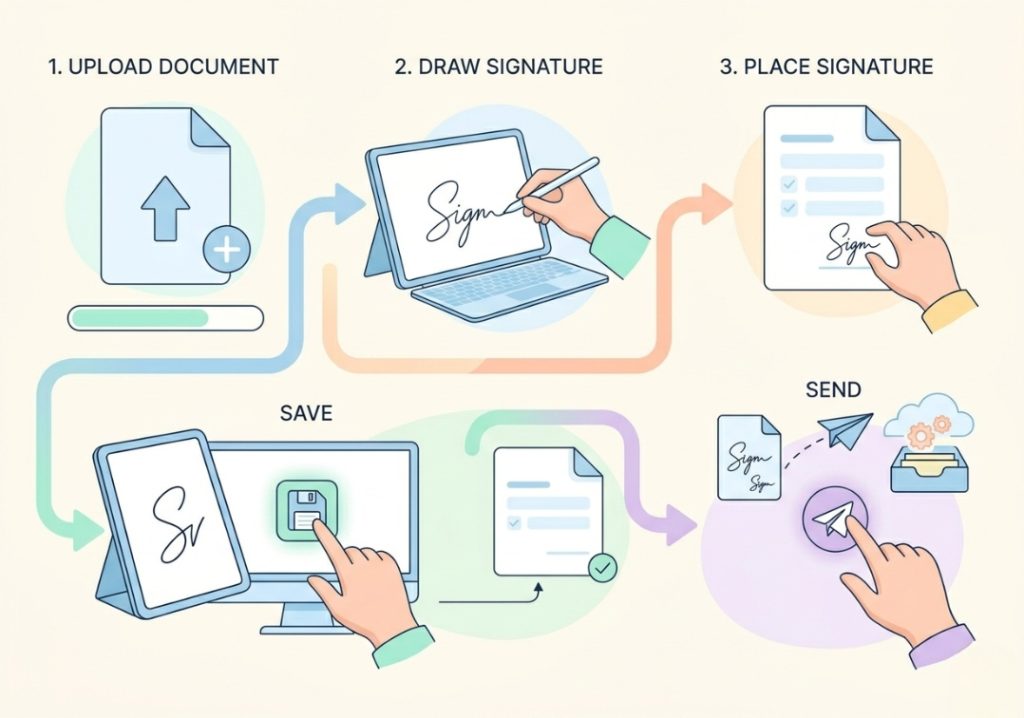
Using WeSignature, you can create an electronic signature and apply it to any document in under two minutes. Here is the complete step-by-step process:
| Step 1 | Open Your Document or Start FreshGo to wesignature.com and upload your PDF, Word doc, or contract — or start with a blank document. Drag and drop works on all major browsers, desktop and mobile. |
| Step 2 | Select ‘Draw Signature’ to Create Your SignatureClick or tap the signature field. Choose ‘Draw’ from the options (you can also type or upload). Use your mouse, finger, or stylus to draw your signature in your own handwriting — just like signing on paper. |
| Step 3 | Add Your Signature to the DocumentOnce drawn, drag your signature to the correct field on the document. Resize as needed. You can also add initials, date fields, or checkboxes at this stage. |
| Step 4 | Save and Reuse Your SignatureWeSignature saves your signature securely for future use. Next time, your signature is ready in one click — no need to redraw. Store multiple signatures if needed. |
| Step 5 | Send, Download, or Store SecurelyDownload the signed document as a PDF, send it directly to other parties for their signature, or store it in your WeSignature account with a full audit trail. |
| Pro Tip: If signing on a mobile device, use your finger or a stylus for the most natural-looking handwritten result. WeSignature is fully optimised for iOS and Android—no app download required. |
Best Ways to Create a Signature: Desktop vs Mobile
The best method depends on your device and how natural you want your signature to look:
| Desktop | Mobile / Tablet | |
|---|---|---|
| Drawing tool | Mouse or trackpad (less precise) | Finger or stylus (most natural) |
| Recommended method | Type or upload existing signature | Draw — closest to handwriting |
| Speed | Faster for typed/template | Faster for drawn |
| Best use case | Business contracts, bulk sending | Quick approvals on the go |
How to Create an Electronic Signature Free
You do not need to pay to create an electronic signature free of charge. WeSignature offers a free plan that lets you
- Create and save your handwritten signature
- Sign documents instantly — PDF, Word, and more
- Send documents to others for their signature
- Download completed, signed documents as legally valid PDFs
- Access your signatures from any device, anywhere
For teams and businesses with higher volume, WeSignature’s paid plans add features like bulk sending, CRM integrations, advanced audit trails, and branded signing pages—but the core ability to create a signature online is always free.
| Try WeSignature Free — No Credit Card RequiredJoin thousands of businesses using WeSignature to sign documents faster. Start Creating Signatures Free → |
How to Add Your Signature to a PDF or Contract
Once you have created your signature, applying it to a document signature field is straightforward:
- Upload the PDF to WeSignature or open a document already in your account.
- Click ‘Place Signature’ and drag it to the correct signature field.
- Add any additional fields — initials, date, checkboxes — as required.
- Click ‘Finish’ to apply the signature and lock the document.
- Download the completed, tamper-evident signed PDF or send it to other signatories.
You can also use your saved signature across unlimited documents without redrawing each time. Learn more in our guide to signing PDFs online.
Common Mistakes When Creating Signatures Online
Avoid these frequent errors to ensure your electronic signature is valid and professional:
- Using a low-quality image upload instead of drawing — scanned images can appear pixelated and may fail platform validation.
- Not saving your signature for reuse — redrawing each time leads to inconsistency between documents.
- Signing without reading the document — an electronic signature carries the same legal commitment as a physical one.
- Choosing a platform without an audit trail — always use a provider that records IP address, timestamp, and device details for each signature.
- Using a free image editor instead of a dedicated tool — these do not produce court-admissible audit logs or legally secure signature certificates.
Are Handwritten Signatures Online Legally Valid?
Yes — in most jurisdictions worldwide. Electronic signatures, including handwritten ones created online, are legally binding under:
- United States: The ESIGN Act (2000) and UETA — recognised in all 50 states
- European Union: The eIDAS Regulation — covers all 27 EU member states
- United Kingdom: The Electronic Communications Act 2000
- India: The Information Technology Act 2000
- Australia, Canada, Singapore: Equivalent national electronic transactions legislation
| Legal Note: Certain document types — such as wills, real estate transfers, and court documents — may require wet ink signatures depending on jurisdiction. Always verify requirements for high-value legal instruments. |
Benefits of Creating Your Handwritten Signature Online
Sign Anywhere, Any Time
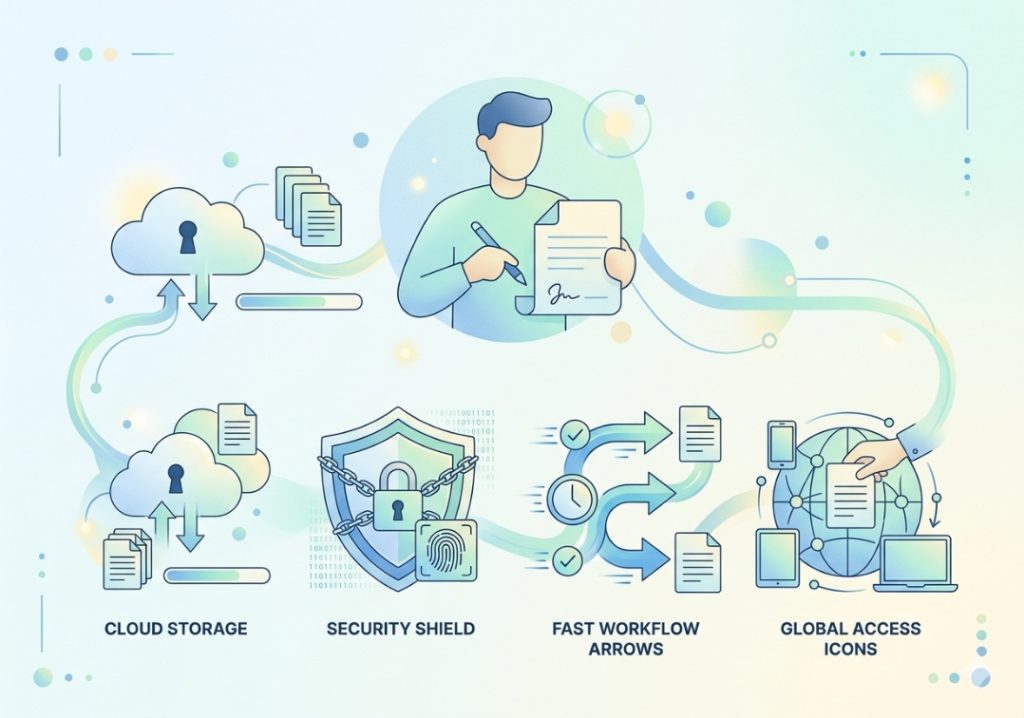
Your electronic signature online is accessible from any device — desktop, tablet, or smartphone. No printer, no scanner, no postage required. Sign from a coffee shop, a client meeting, or across the world.
Reduce Cost and Paperwork
Businesses spend billions annually on paper-based document workflows. Switching to create electronic signature processes eliminates printing, postage, physical storage, and manual filing costs — typically delivering savings of 60–80% per document processed.
Authentic and Personal
A drawn handwritten signature produced with WeSignature closely mirrors your natural ink signature. It is unique, personal, and consistent across every document you sign.
Secure and Tamper-Evident
Every signature created with WeSignature is backed by AES-256 encryption, an immutable audit trail, and SOC 2 Type II compliance. Signed documents cannot be altered without detection.
Why Use WeSignature to Create Your Signature Online?
WeSignature is a purpose-built electronic signature online platform designed for speed, simplicity, and security. It is trusted by small businesses, freelancers, and enterprise teams to handle everything from quick approvals to high-volume contract workflows.
- Instant signature creation — draw, type, or upload in seconds
- Free plan available — create electronic signature free with no credit card required
- Works on all devices — desktop, tablet, and mobile (iOS and Android)
- Legally valid worldwide — ESIGN, UETA, eIDAS, and equivalent frameworks
- Reusable signatures — save once, use across unlimited documents
- Full audit trail — timestamped, IP-logged, court-admissible records
- CRM & helpdesk integrations — connects with Salesforce, Zendesk, HubSpot, and more
- Bulk sending — send to hundreds of signatories simultaneously
Compare our plans on the WeSignature pricing page. For a full comparison of the best electronic signature software in 2026, see our dedicated guide.
Frequently Asked Questions
1. What is a handwritten signature online?
A handwritten signature online is a digital version of your personal signature created by drawing it electronically using a mouse, finger, or stylus. It is legally equivalent to an ink signature under laws such as the ESIGN Act in the US and eIDAS in the EU.
2. How can I create a signature online for free?
Visit wesignature.com and sign up for a free account. Choose ‘Draw Signature’, draw your signature using your mouse or finger, and save it for immediate use on any document — completely free, with no credit card required.
3. Can I customise my handwritten signature online?
Yes. WeSignature allows you to adjust the thickness and size of your drawn signature, choose from different pen styles, and save multiple signature variations for different use cases.
4. Is it safe to create a handwritten signature online?
Yes — when using a reputable platform like WeSignature. All signatures are protected by AES-256 encryption, secured with multi-factor authentication, and backed by SOC 2 Type II compliance. Your signature data is never shared with third parties.
5. Can I use my handwritten signature on multiple devices?
Yes. Once saved to your WeSignature account, your signature is accessible from any device — desktop, mobile, or tablet — without needing to redraw it.
6. Are electronic signatures legally binding everywhere?
Electronic signatures are legally binding in over 60 countries, including the United States, all EU member states, the United Kingdom, India, Australia, Canada, and Singapore. Some specific document types (such as wills) may still require wet ink signatures — always check local requirements for high-value legal instruments.
Conclusion
Knowing how to create a signature online is an essential skill in 2026 — whether you are a freelancer signing client contracts, a business owner processing service agreements, or part of a team managing high volumes of customer documentation.
With WeSignature, you can create an electronic signature free of charge in under two minutes — draw it in your own handwriting, save it for reuse, and apply it to any PDF or contract with full legal validity and enterprise-grade security.
Stop printing. Stop scanning. Stop waiting. Start signing with WeSignature today →
